Sign Company Authorization Documents
Last updated: April 14, 2025
Steps to Sign Company Authorization Documents
Sign in to your Franklin account
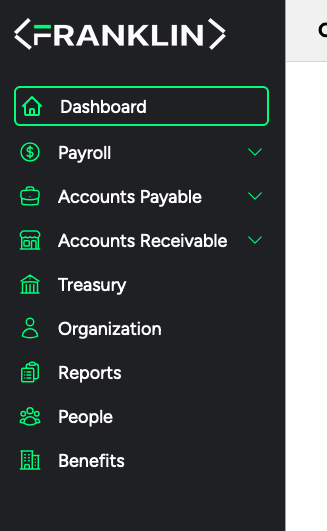
Go to your Dashboard (Top left button)
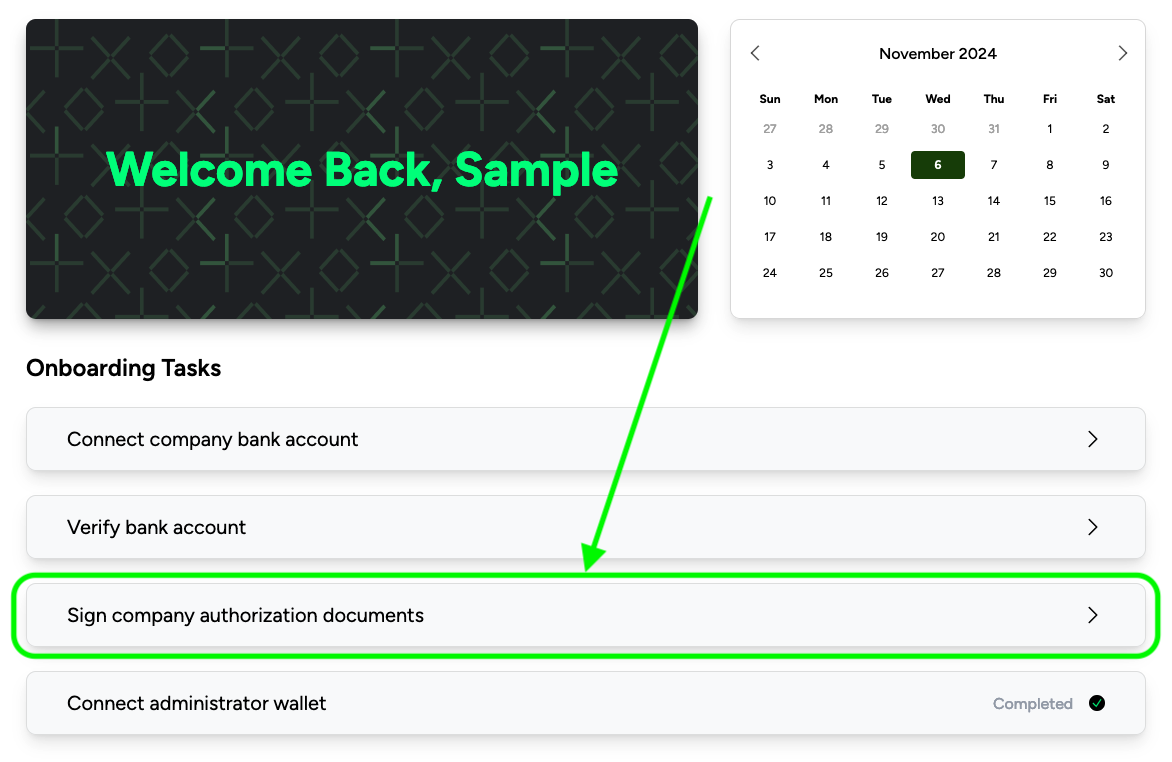
Click on "Sign company authorization documents"
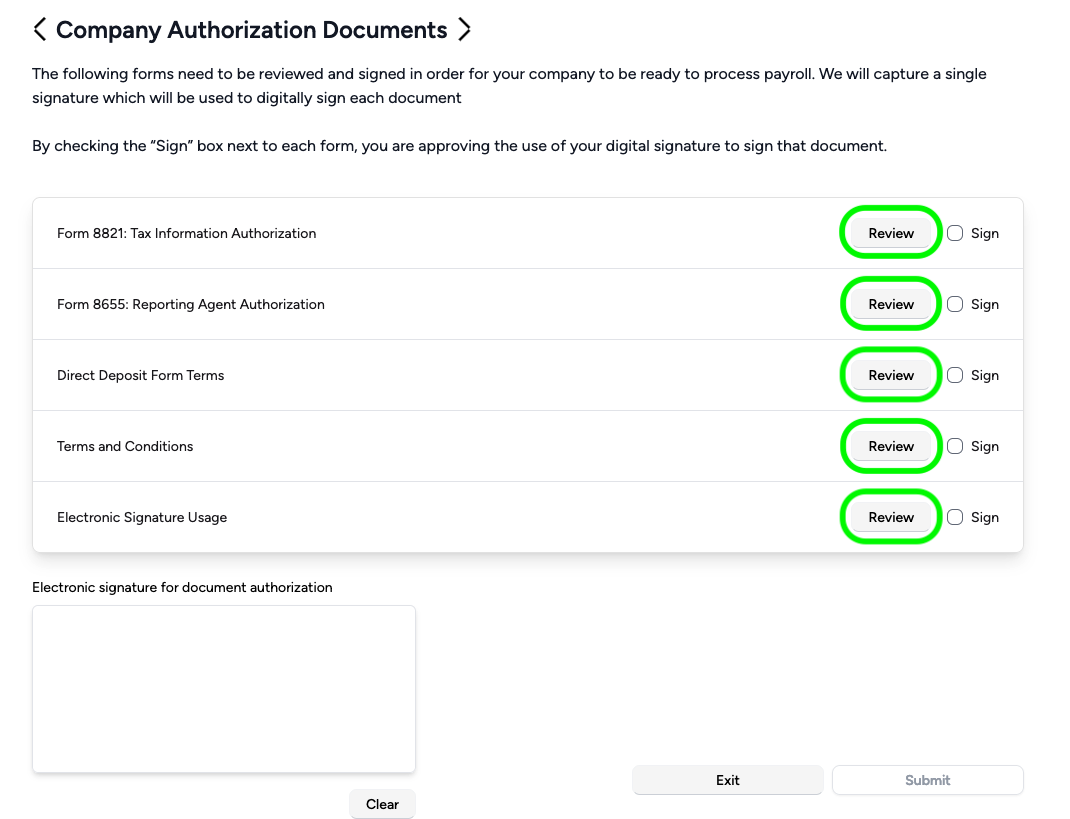
Review carefully the following documents by clicking "Review" on the right hand side:
Form 8821: Tax Information Authorization
Form 8655: Reporting Agent Authorization
Direct Deposit Form Terms
Terms and Conditions
Electronic Signature Usage
After reviewing all the documents:
Click next to the sign check box on the right side of each form
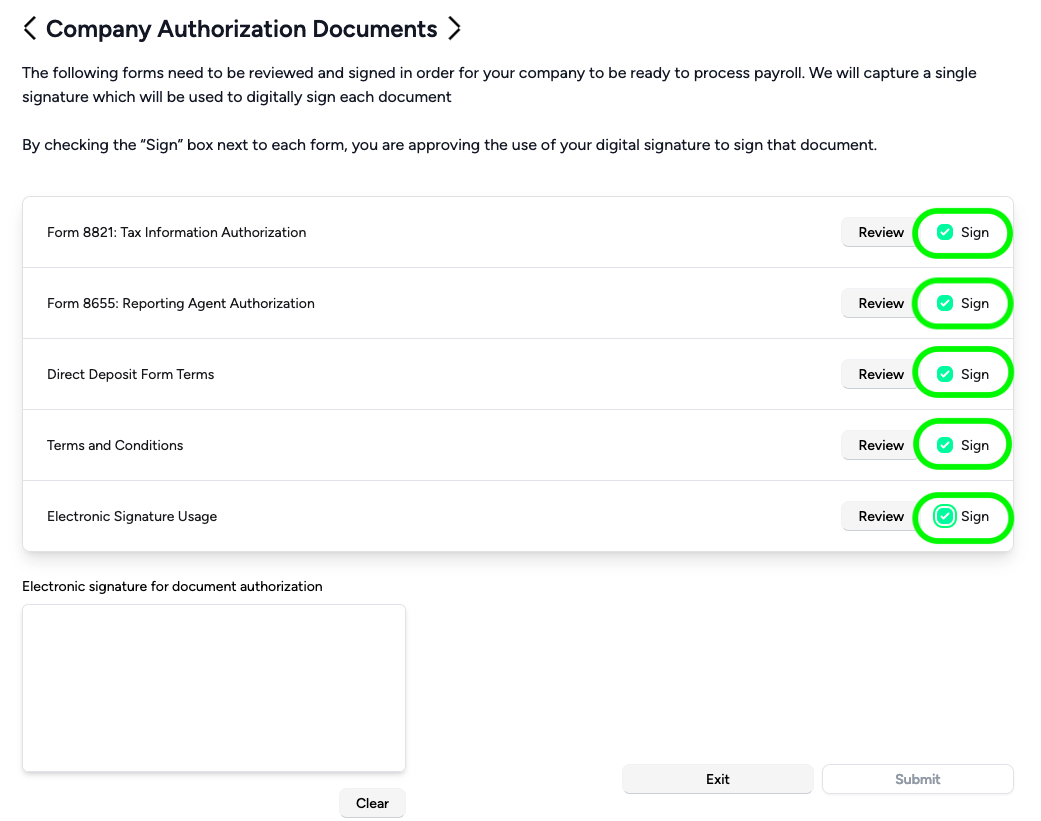
Sign in the box under "Electronic signature for document authorization"
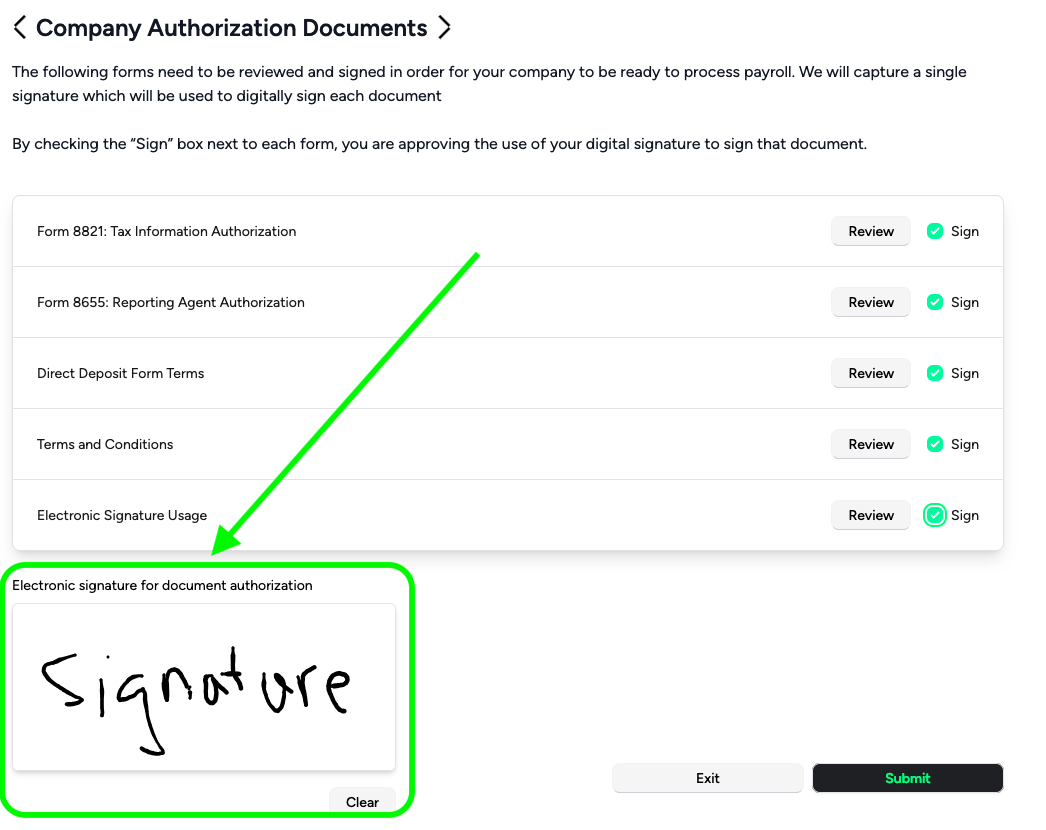
Click the Submit button
Congratulations, you are now onboard.