Connecting Bank Account
Last updated: April 14, 2025
After completing the signing up, you will see Onboarding Tasks on your Dashboard.
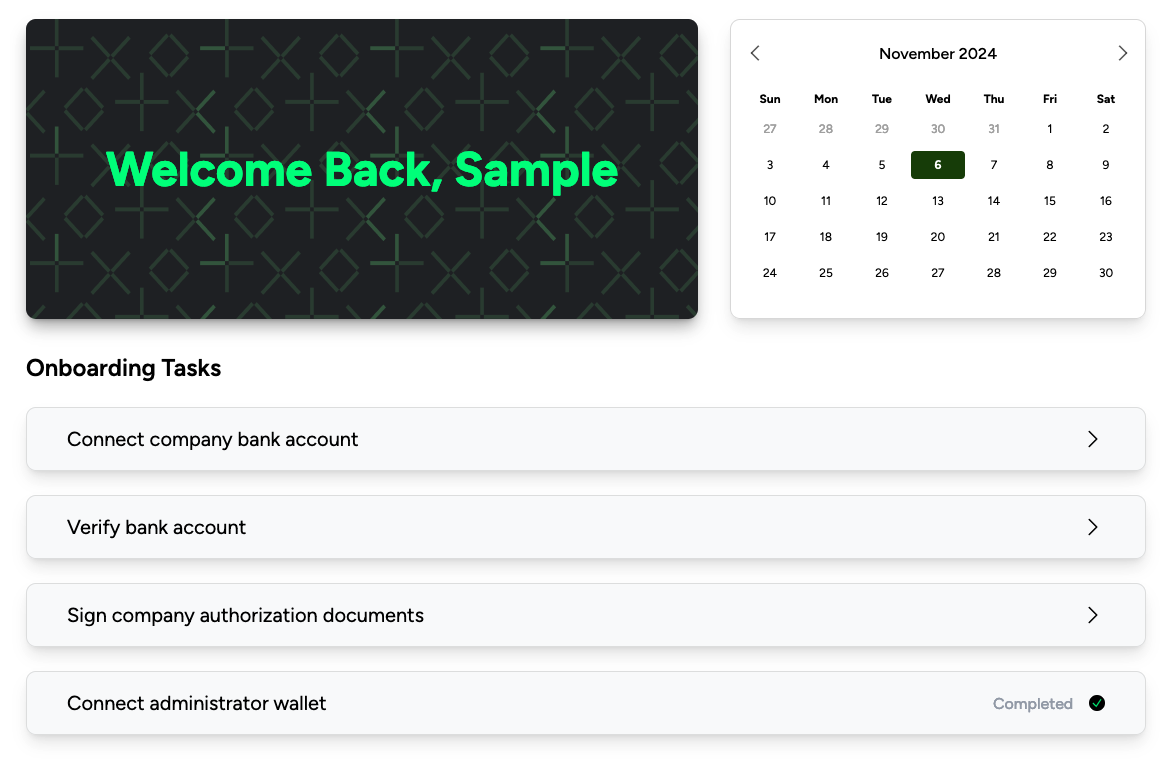
Your first task is to connect your bank account.
Click "Connect company bank account"
Input AND confirm your account number and routing number, then click confirm
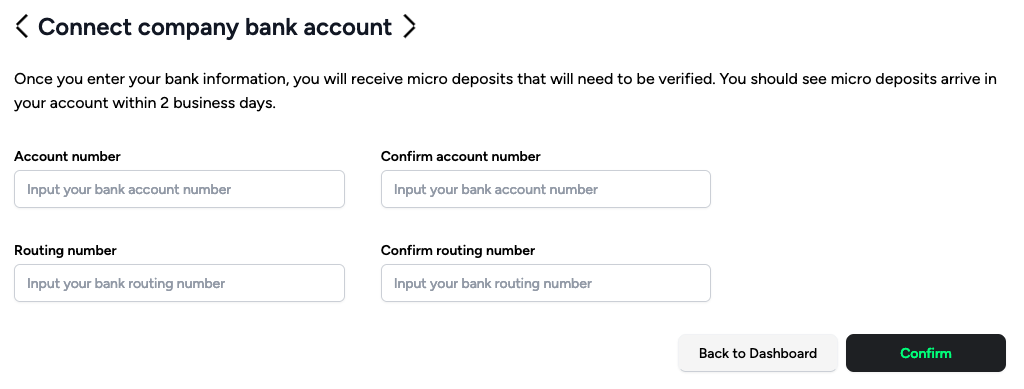
After you clock confirm, Franklin triggers a micro deposit to the bank account you connect. This micro deposit appears within 2-3 business days. Once you have received the micro deposit, return to this page and enter the amounts to verify your bank.
Verify your bank account by clicking on "Verify bank account" onboarding task on your administrator dashboard.
Input the amount that showed up on your bank account
Confirm it
Click submit
In the meantime, check out the following articles on how to complete your onboarding.