Update Federal Tax Info
Last updated: April 14, 2025
This article is covers updating your Federal Tax info as part of your onboarding with Franklin.
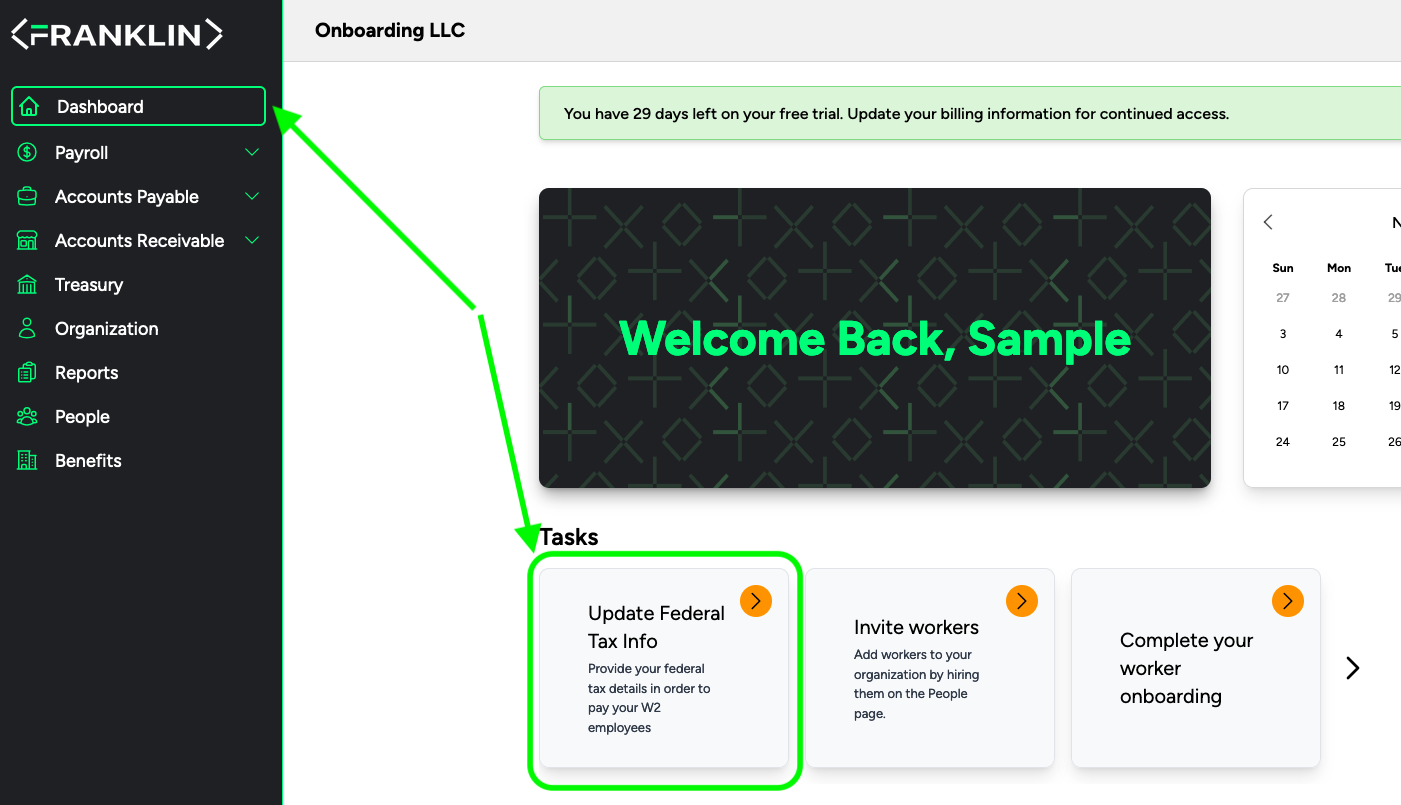
After you login to your account, go to Dashboard
Under "Tasks" Select "Update Federal Tax Info"
Select your schedule for federal tax payments, either monthly or semiweekly
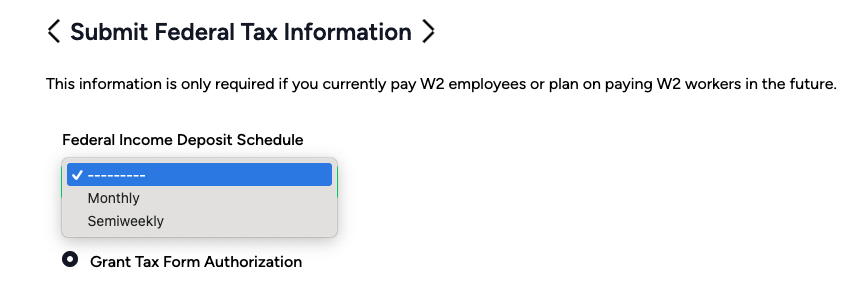
Click the "Grant Tax Form Authorization:
Follow the instructions to register for Electronic Federal Tax Payment System (EFTPS)
Enter the date you enrolled in EFTPS
Click Confirm