Complete your worker onboarding
Last updated: April 14, 2025
Even as an administrator, you are required to complete your own worker onboarding to be able to get paid.
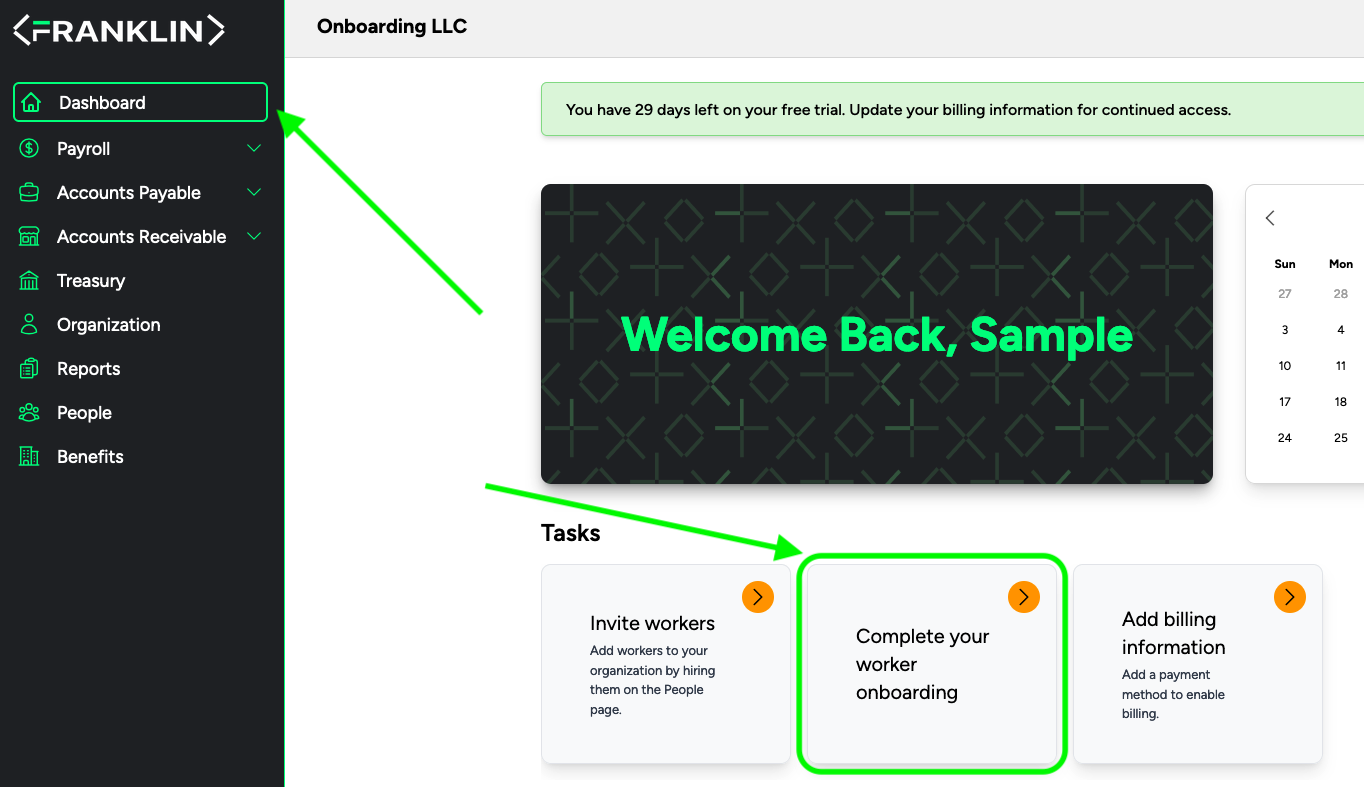
Go to your Franklin Dashboard
Select "Complete your worker onboarding"
Connect and Verify your wallet
Submit your banking and Tax information
Fill in your personal information, click continue
Upload your Identification documents, click continue
Enter your Federal W-4 Information,
Sign in the text box, then click review
Review information, ensure there are no errors,
Click Submit and continue
Enter your state W-4 Information
Sign in the text box, then click review
Review information, ensure there are no errors,
Click Submit and continue
Enter your US I-9 Information
Sign in the text box, then click review
Review information, ensure there are no errors,
Click Submit and continue
Enter your banking information
Click "Complete Onboarding"